Help Center
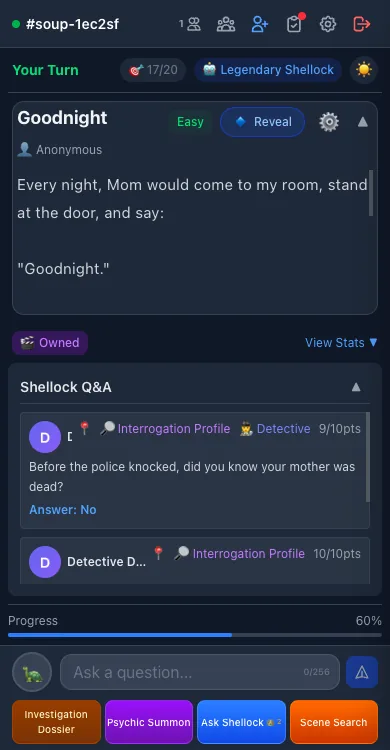
Everything from your first case to the advanced tools. If you only remember one thing: ask the AI host questions that can be answered with "yes" or "no", and close in on the hidden truth step by step.
Starting a round
- Pick a puzzle from the library on the home page, or jump into a room with a random one.
- Read the "surface" — a short, strange story that only shows what happened on the outside.
- Type questions the host can answer with yes or no, like "Did the victim know the killer?"
- Use each answer to rule out wrong paths, then keep asking and rebuild the full story.
- When you are confident, state your full theory — get close enough and you clear the case. You can also use "Reveal" to see the solution.
The four answers
The AI host only ever replies with four answers. Reading them correctly is the core skill.
Yes
Your guess matches the truth.
No
Your guess contradicts the truth.
Both
Partly right, or it depends on conditions — usually worth splitting into smaller questions.
Irrelevant
That direction has nothing to do with the solution. Drop it.
How to ask better questions
- Ask one thing at a time: "Was he murdered?" beats "Who killed him and how?"
- Start from the strangest detail and confirm time, place, relationships and motive one by one.
- A "no" often narrows things down more than a "yes" — eliminate boldly.
- Stuck? Re-read the surface and find the detail you still cannot explain.
- Got "Both"? Split the question in two and ask again.
In-game tools
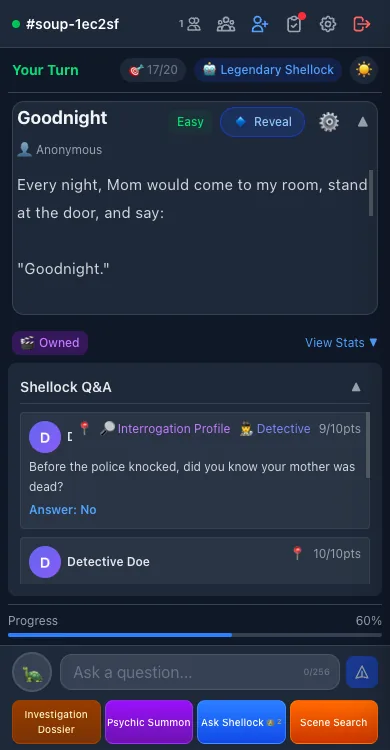
The buttons around the game screen are optional aids. Most cost points — prices are always shown in the interface.
🔍 Interrogation Profile
Unlock the host's inner monologue about your question to see whether the direction is worth digging into (discounted for members).
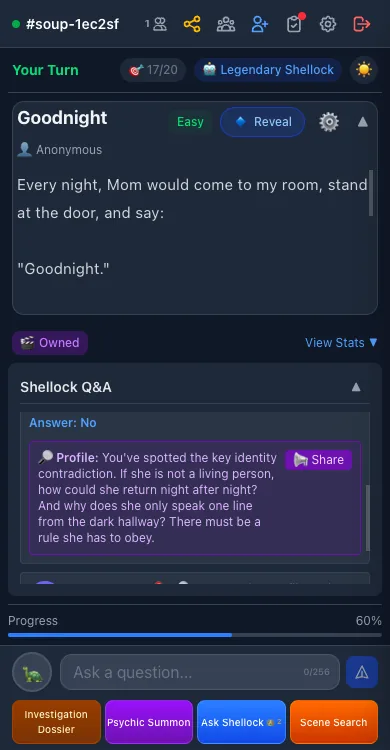
🕵️ Detective
Let the AI detective share its reasoning about the current progress, or ask a key question on your behalf.
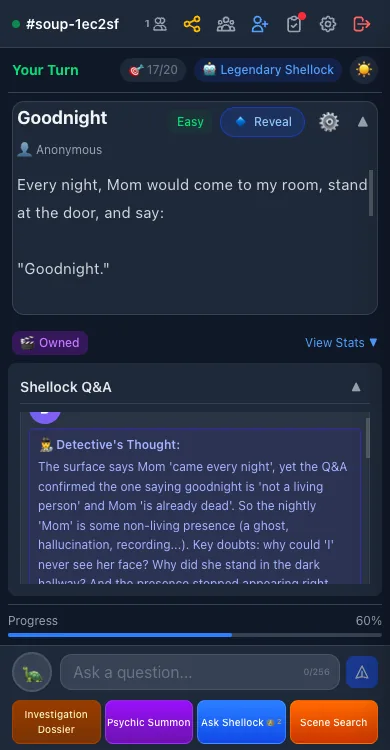
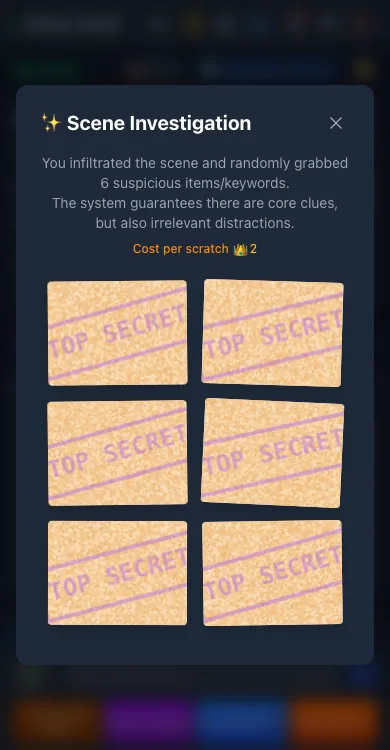
✨ Scene Investigation
Scratch cards at the scene: six cards guaranteed to hide core clues, mixed with red herrings. You choose which to scratch.
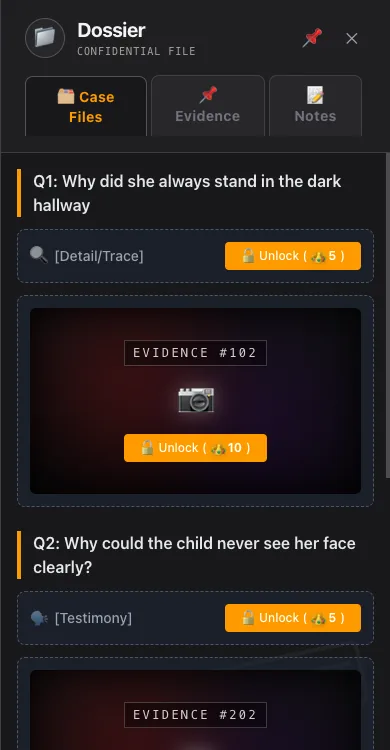
📁 Dossier
Your case desk — archives (unlock text/image files, crowdfund in multiplayer), evidence tagging (key/suspect/excluded), and notes (shared whiteboard, timeline, private notes).
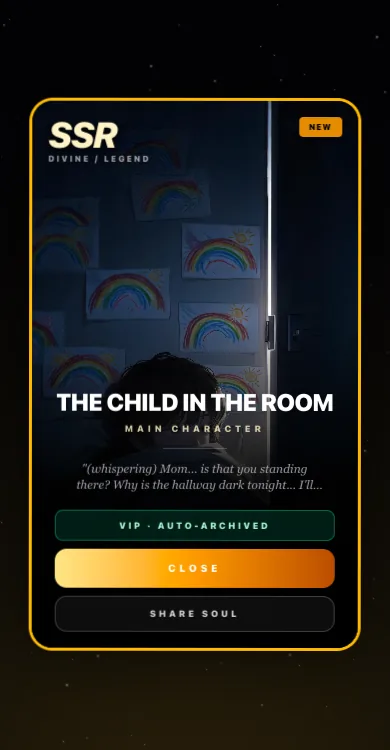
👻 Psychic Summon
Summon a random character card tied to the case and question them directly. Summons are collected in your Soul Codex.
🎬 Immersive Mode
A cinematic experience — backgrounds, progressive soundtrack and visual effects that follow the story.
💬 Extra Questions
Out of questions? Spend points to keep asking.
🎭 Reveal
See the full solution and end the round when you are truly stuck (multiplayer games vote on it).
Earning and spending points
Earn
- Daily check-in (a 7-day streak includes a lucky draw)
- Newbie tasks, daily and weekly quests
- Clearing cases and winning MVP
- Submitting puzzles that pass review, inviting friends
Spend
- 1 point per question; extra questions cost 2 points each after the limit
- Reveal costs 50 points
- Profiles, investigations, summons and archives cost as labeled in the UI
Actual prices are always shown in the interface. Members get discounts on some features.
Playing with friends
- The host enables "Multiplayer" after starting a game, then shares the room link.
- Players take turns to speak — ask only when the interface says it is your turn.
- The host can set a per-turn time limit; timeouts pass the turn automatically.
- Prefer watching? Spectate instead. After the game there is a match report, an MVP pick and a synergy rating.
Preferences & Settings Guide
In the User Settings menu (click your avatar / Settings icon), you can customize your experience:
🌍 Content Region (Switching Regions)
Switch between CN, US, and JP regions to explore region-specific puzzle libraries, series, and community lounge posts. Free switches are included; additional switches cost 1,000 points. Content you created remains in its original region.
🎨 Image Display Mode (Coward Mode)
Want to avoid jump scares? Enable "Coward Mode" to add scratch card covers over intense artwork so you reveal them only when ready. "Horror Enthusiast Mode" displays full artwork directly.
👻 Soul Orb
Displays a floating guardian spirit on the bottom right of the home page for quick chats with the AI host anytime. Toggle on or off in Settings.
🎨 Minimal UI Mode
Hides other player avatars inside the game room for a cleaner interface and focused typing and deduction.
🔔 Sounds & Immersive BGM
Individually adjust chat notification sounds, your-turn alerts, and background music volume in immersive mode.
🔒 Profile & Privacy Settings
Change your nickname and avatar, and control what is shown on your public profile (solved cases, MVP count, top creations, and gift cabinet).
FAQ
I have no idea where to start.
Use Scene Investigation or the Detective for a direction, or work through who / when / where / why one question at a time.
How do I switch content regions?
Click your avatar -> User Settings -> Preferences, and select CN, US, or JP. Each region has its own puzzle library and community. Free switches are included; subsequent switches cost 1,000 points.
I ran out of questions.
Spend points on extra questions, or organize your clues and state your full theory.
I ran out of questions.
Spend points on extra questions, or organize your clues and state your full theory.
I am out of points.
Daily check-ins and quests are the steady source; clearing cases and submitting puzzles also pay. See the pricing page for membership perks.
How do I play with friends?
Enable Multiplayer in a game and share the room link — anyone who opens it joins your round.
I disagree with the AI's ruling.
Every answer has a "Review" button next to it; submit it and the ruling gets re-examined.
Can I submit my own puzzles?
Yes — submit your original story and solution from your profile. Once it passes AI review it joins the library, and you earn points when others play it.